Badge sheets that work
| Sheet | Badge size | Compatible with |
|---|---|---|
| Name badge labels, 8 per sheet (US Letter) | 2⅓ × 3⅜ in | Avery® 5395, 8395 |
| Name badges, 8 per sheet (A4) | 86 × 55 mm | L7418-style sheets |
| Name badge inserts, 6 per sheet (US Letter) | 3 × 4 in | Avery® 5392, 5384, 74459, 74536, 74541 |
| Name badge inserts, 8 per sheet (US Letter) | 2¼ × 3½ in | Avery® 5390, 5383, 74461, 74549 |
Using plastic badge holders that take business-card inserts? Print on business card sheets instead: 10 per sheet, 2 × 3½ in, Avery® 8371 and 5371.
How to make name tags from a list
- Copy your attendee list with its header row, for example First name, Last name and Organization.
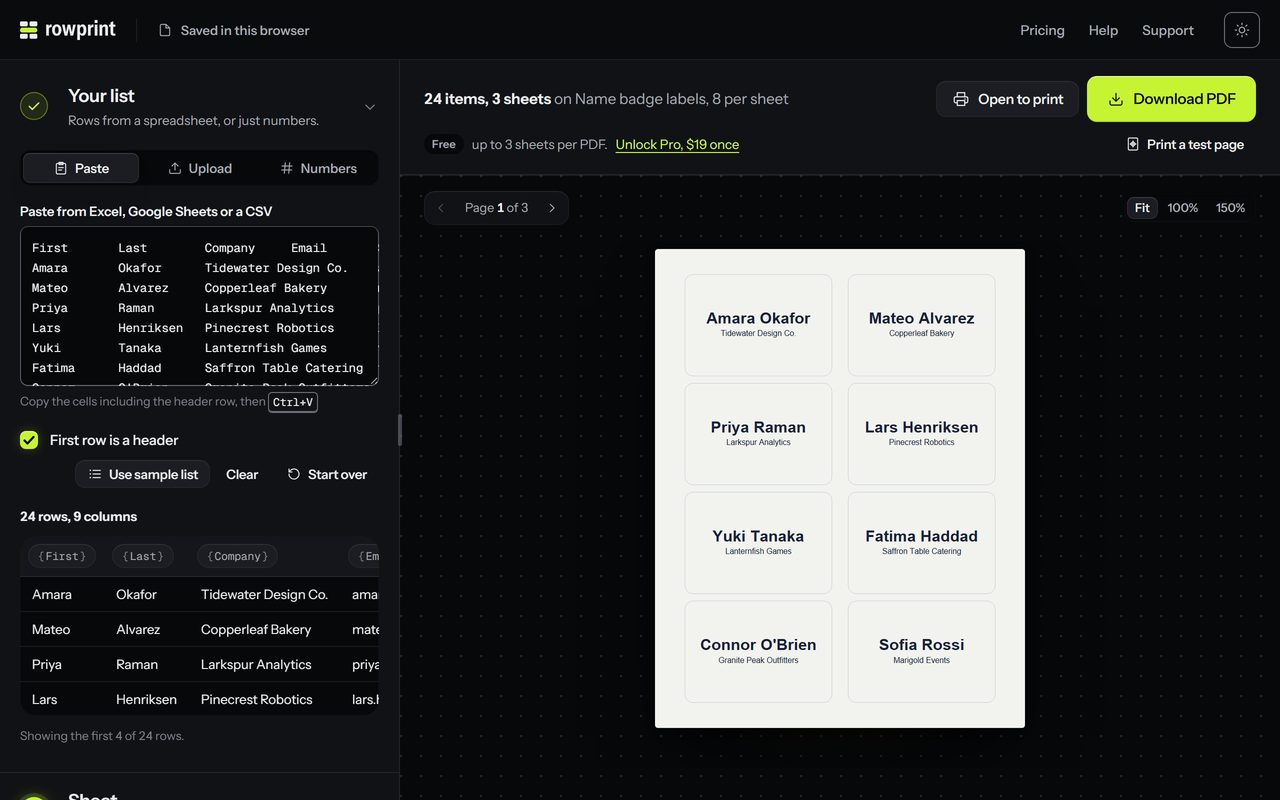
- Paste it into Rowprint and pick Name badge labels, 8 per sheet.
- The badge fills in from your column names: {{First name}} {{Last name}} large and bold on the first line, {{Organization}} smaller below it. Rowprint recognizes common column names (name, first and last, address, city, state, zip, company), and you can edit the lines afterward, for example to give the first name a line of its own.
- Check the preview. Shrink text to fit keeps long names inside the badge, and the preview warns you about any that still don’t fit.
- Download the PDF and print it at 100% on the badge sheets.
Badges people can read
- First names do the work at a busy event. Make them two or three times the size of everything else.
- Keep company and role to one short line each, in a lighter weight.
- Print the test page with the badge outlines on plain paper and check it against a sheet before you use the real badges.
- For check-in, Pro adds a QR code from any column, such as a registration number or ticket ID.
A Microsoft Publisher alternative for badges
Plenty of offices and churches made name tags in Microsoft Publisher, and support for it ended in October 2026. Rowprint does the same job in a browser tab, on Windows, Mac or a Chromebook, with the same Avery® sheet numbers and nothing to install.